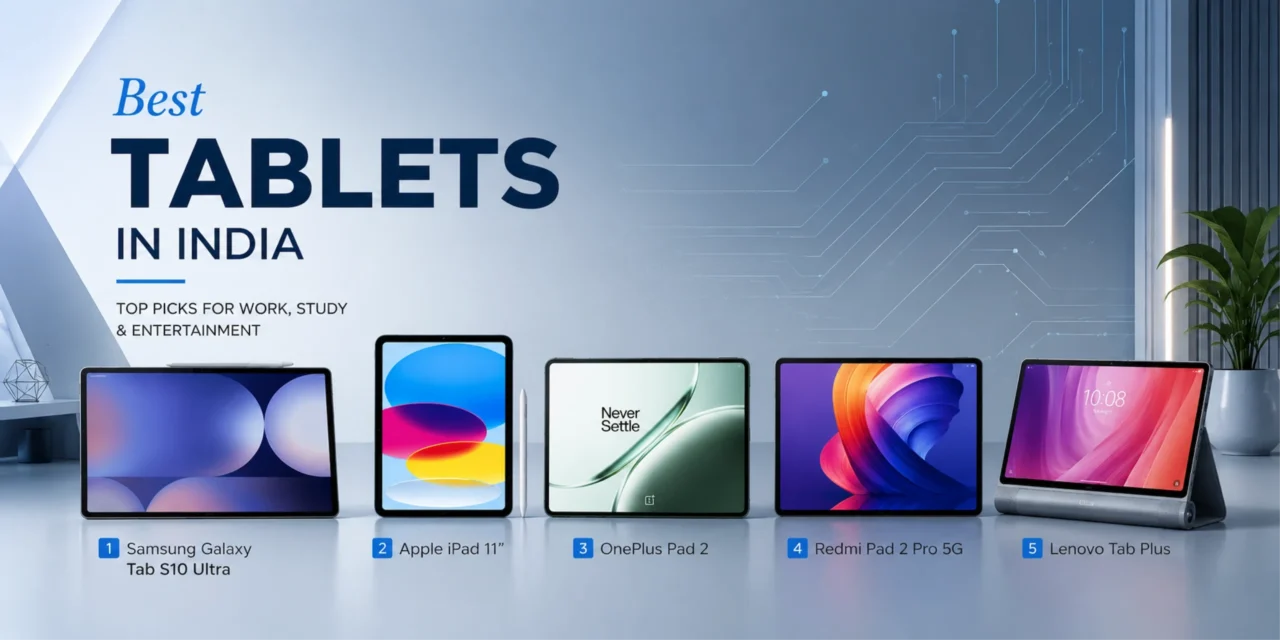
Best Tablets in India 2026
Top 5 Models that actually deliver performance
(without the premium price shock)
If you’ve ever struggled with a lagging tablet that freezes during video calls or squinted at a dimly lit screen outdoors, or regretted buying a low-powered device that can’t even handle basic multitasking, then you understand the struggle. The good news is that by 2026, tablets will be far more capable, and you won’t need to spend more than Rs.100,000 for a device that will enhance your capabilities and entertainment.
The tablet world in India has changed dramatically in the last few years. Tablets that were once oversized phones with limited functions have now become genuine laptop alternatives, with desktop-class processors, stunning displays, and all-day battery life. Today’s tablets come with features once found only in premium iPads – high refresh rate displays, powerful processors to handle creative work, stylus support for taking notes, and screens that can rival televisions for viewing content.
We spent a significant amount of time researching tablets across India from Amazon India, Croma, Reliance Digital, and Vijay Sales. We analysed thousands of customer reviews, tested battery life to evaluate performance in real-world scenarios, and considered the things that matter to real users – display quality for long-term viewing of movies and videos, processing power for work, portability for travel, and most importantly, whether this tablet will truly add value to your daily life or just sit there collecting dust in a drawer.
The result? Five tablets that deliver superior performance without costing as much as flagship models. Whether you’re a student looking for a reliable device for online classes, a content consumer who values display quality, or looking for the best option in the budget segment, we have the complete information on which options work and which don’t.
Best Tablets in India 2026
Our Top 5 Picks at a Glance
The Top 5 Best Tablets in India 2026
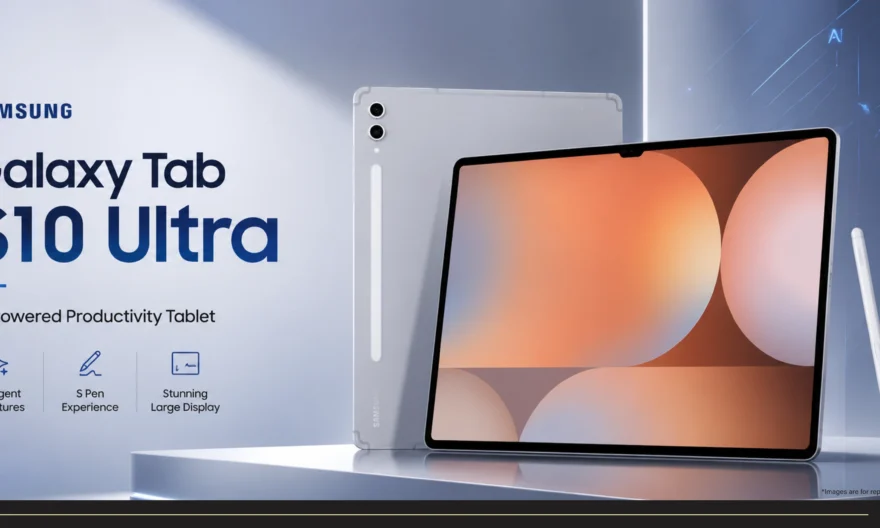
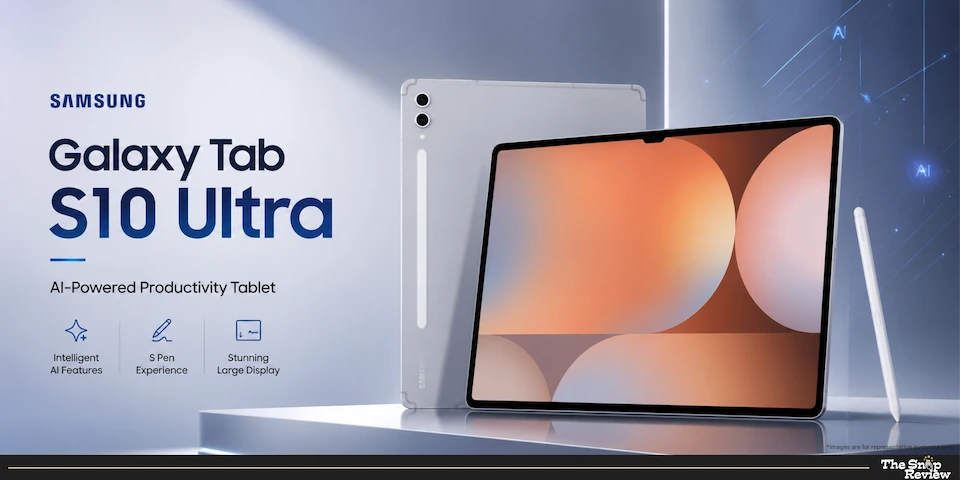
Samsung Galaxy Tab S10 Ultra – The Professional Powerhouse
Price: Rs. 1,08,999
Display: 14.6” AMOLED, 120Hz
Processor: Dimensity 9300+
Battery: 11,200 mAh
Best For: Creative professionals, multitasking, laptop replacement
What we like –
This Galaxy Tab S10 Ultra is what happens when Samsung decides to make a tablet that competes with laptops. The 14.6-inch AMOLED display is truly amazing – and we’re not exaggerating. The screen is large enough for serious productivity work, bright enough to use out-doors and the 120Hz refresh rate makes scrolling or browsing documents incredibly smooth. Colours look vibrant without being oversaturated, blacks are deep, and the screen-to-body ratio gives you a more attractive experience than many laptops.
It’s Dimensity 9300+ processor is a flagship chip that offers uncompromising performance. This isn’t just “decent for a tablet” performance – it truly delivers powerful computing power. You can edit 4K video, run design-intensive applications, use multiple browser tabs simultaneously without lag, and switch between apps instantly. For creative professionals who need powerful processing power on the go, this tablet doesn’t force you to compromise in any way.
The 11,200mAh battery delivers a full day usage and that means a literal full day. This means you can use it for 8-10 hours without having to look for a charging point, with a multitude of tasks like video calls, document editing, streaming, browsing, etc. For students attending online classes or professionals working from home, this tablet with such battery capacity means one less worry.
Samsung’s DeX mode gives tablet a desktop-like experience. Connect a keyboard & mouse and you get a true windowed mode multitasking, desktop-class apps, and productivity workflows that feel natural to those switching from laptops to desktops. This isn’t just a show – it’s actually suitable for serious work.
S-Pen support is already included and seamlessly integrated. For taking notes, sketching, or making annotations on documents, the stylus works smoothly, feels natural to write with and magnetically attach to the tablet. Students taking lecture notes or professionals marking up presentations will appreciate its functionality.
What could be better –
Priced at Rs. 1,08,999 this is a smart investment, not an impulsive decision or purchase. You’re paying the price of a flagship laptop for a tablet, which makes sense only if you genuinely need this level of performance and display quality. Most casual users will be perfectly satisfied spending one-third of this price.
The size and weight makes it less portable compared to smaller tablets. At 14.6 inches, this tablet isn’t suitable for taking out on the metro or anywhere else. It’s designed to use on a desk, on a table, or in places where you’d normally use a laptop. If portability is your priority, consider the iPad or OnePlus Pad 2.
Although Samsung has improved Android tablet app optimisation, the app ecosystem lags behind the iPad ecosystem. Many apps are essentially scaled-up versions of phones, rather than providing tablet-optimised experiences. For professional creative apps like Procreate or Lumafusion, the iPad is still the better option.
The tablet does get warm during intensive tasks. It doesn’t get uncomfortably hot, but it does become noticeable during prolonged video editing or gaming. Samsung’s throttling feature manages the heat well, but you’ll feel the strain on the device.
Real talk –
This is the Mercedes-Benz of Android tablets – premium build, solid performance and a price that reflects its market value. It’s perfect for creative professionals who need a genuine laptop replacement, students pursuing design or media courses where processing power matters or anyone who considers their tablet a primary computing device. If you consume a lot of content, its display quality alone is enough to warrant a purchase. At Rs. 1,08,999 you’re not just buying specifications – you’re buying an experience that enhances the way you work and consume media.
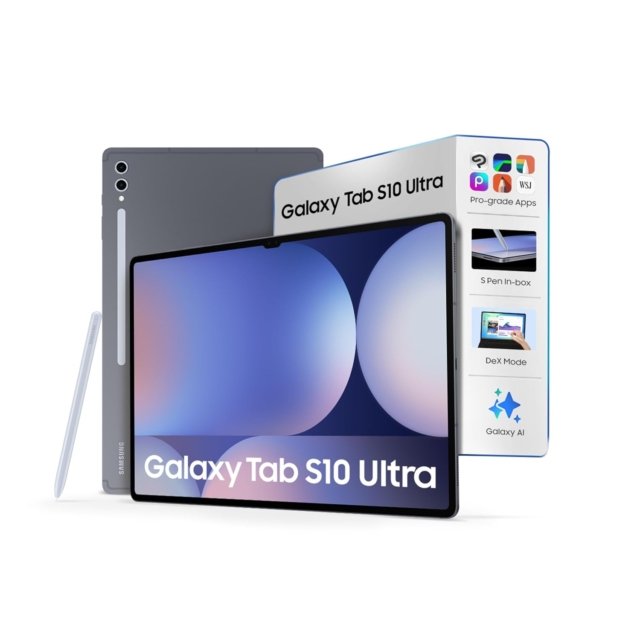
Samsung Galaxy Tab S10 Ultra
Price: Rs. 1,08,999
Display: 14.6” AMOLED, 120Hz
Processor: Dimensity 9300+
Battery: 11,200 mAh
Best For: Creative professionals, multitasking, laptop replacement
Disclaimer : We are a product review website providing honest opinions based on extensive research. Prices mentioned are approximate and may vary.
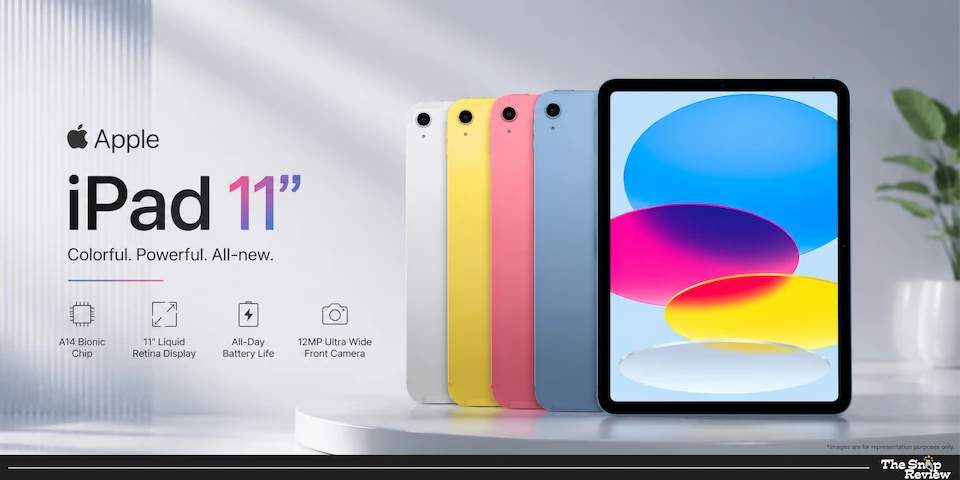
Apple iPad 11” (2026) – The Ecosystem Champion
Price: Rs.34,400
Display: 11” Retina display
Processor: A16 Bionic
Battery: 10 hours
Best For: Apple ecosystem users, app quality, creative work
What we like –
The iPad 11” features what Apple loves the most – seamless integration and excellent software that Android tablets can’t match. The A16 Bionic processor is not only benchmark-fast, but also delivers incredible smoothness in every task. Apps open instantly, multitasking feels incredibly easy, and even complex tasks like photo editing or music production happen without a hitch.
Its Retina Display doesn’t have the endless black of AMOLED, but Apple’s colour calibration is excellent. This display accurately reproduces colours, ideal for creative tasks like photo editing, design, and digital art, where colour accuracy matters. The screen is bright enough for outdoor use, and the anti-reflective coating proves to be really helpful in bright environments.
Its app ecosystem is the iPad’s biggest advantage. Professional apps like Procreate, LumaFusion, Notability, and GoodNotes are tablet-optimised masterpieces that fully leverage the iPad’s capabilities. These aren’t phone apps designed for tablets. For students, creative professionals, or anyone doing serious work on a tablet, this difference in app quality is crucial.
If you already use an iPhone, Mac, or Apple Watch, you know that it’s ecosystem integration works wonders. Hand-off lets you start work on your iPad and continue it on your Mac without interruption. AirDrop shares files instantly. Your notes, photos, and documents are automatically synced across all devices. This feature is really useful for those connected to the Apple ecosystem.
The 11-inch iPad is incredibly thin and light. It feels premium, fits easily into most bags, and you can comfortably hold it for extended periods of reading or watching videos. The build quality is excellent – these devices feel built to last for years.
Software updates are a key strength of Apple. This iPad will continue to receive iPadOS updates for 5-6 years, maintaining its performance and security even after Android tablets stop receiving updates. This longevity is very important for those planning to use their tablet for many years.
What could be better –
Apple’s accessories are priced quite aggressively. The Magic Keyboard costs about the same as a budget tablet, the Apple Pencil isn’t included, and storage upgrades come at an additional cost. If you need them, consider these costs – they can add up quickly.
It’s base model comes with 64GB, which fills up quickly when downloading content or storing photos. iCloud storage is helpful, but you’ll be paying subscription fees for limited local storage. If you can afford it, consider the 256GB model.
File management has improved on the iPad, but it still feels limited compared to Android or Windows. The Files app has some bugs, connecting external drives presents some difficulties and Apple’s sandbox approach means it’s less flexible for power users who want complete control over their file system.
The lack of a headphone jack continues to be a source of frustration. This requires dongle or Bluetooth headphones, which is inconvenient for audio professionals, gamers seeking low latency or anyone who prefers wired headphones.
iPad’s multitasking has improved, but it is less intuitive than Samsung’s DeX or desktop operating systems. Split-screen works but managing videos and switching between apps requires learning iPad-specific gestures and workflows.
Real Talk –
The iPad 11” is for those who value software polish, app quality and ecosystem integration over the latest specifications. It’s perfect for students who need reliable performance across all apps, creative professionals using iPad-specific pro apps or anyone already integrated into Apple’s ecosystem. For Rs.33,400 you’re getting a complete package of hardware, software, and ecosystem that work seamlessly together. The long duration of software support means this tablet will remain viable for years, making it more valuable over its useful lifespan. It seems appropriate.
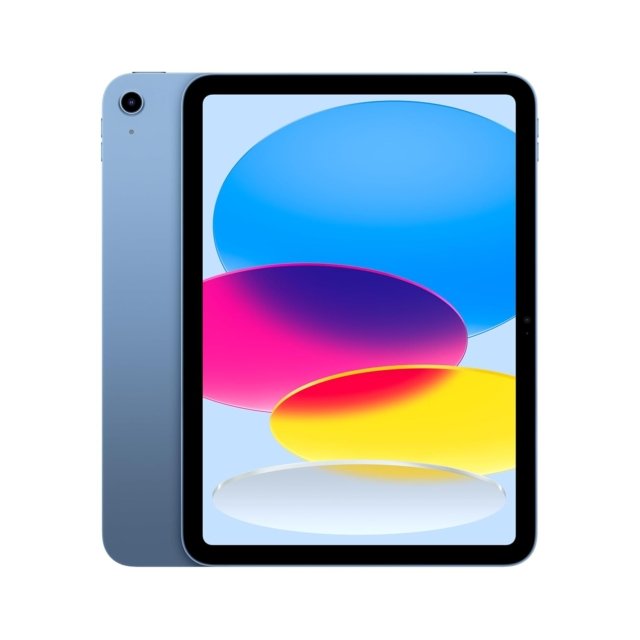
Apple iPad 11” (2026)
Price: Rs. 34,400
Display: 11” Retina display
Processor: A16 Bionic
Battery: 10 hours
Best For: Apple ecosystem users, app quality, creative work
Disclaimer : We are a product review website providing honest opinions based on extensive research. Prices mentioned are approximate and may vary.
OnePlus Pad 2 – The Value Flagship
Price: Rs.35,999
Display: 12.1” 144Hz LCD
Processor: Snapdragon 8 Gen 3
Battery: 9,510 mAh
Best For: Android power users, display quality, multimedia

What we like –
OnePlus has created something truly special – offering flagship specifications at a price point lower than Samsung’s premium tablets and even Apple’s iPad Pro. Its Snapdragon 8 Generation 3 is one of the most powerful mobile processors and OnePlus hasn’t compromised on its performance. This tablet handles every task with ease – gaming on high settings, video editing, running multiple apps simultaneously or seamlessly switching between dozens of browser tabs.
OnePlus’ gaming potential shines through in its 12.1-inch 144Hz display. It’s incredibly smooth refresh rate makes scrolling, gaming and every screen motion incredibly smooth. Once you experience 144Hz, the standard 60Hz display will be a hit. This display is truly fantastic for gamers, content creators, or anyone who enjoys smooth visuals.
The 9,510 mAh battery delivers a solid all-day performance. You get 7-9 hours of mixed usage backup, which is enough for a full work day or a long trip. The 67W fast charging goes from 0 to 100% in about 80 minutes, which means you can work comfortably for a long time with a quick charge during lunch.
OnePlus’ OxygenOS is one of the cleanest Android skins out there. It’s very close to stock Android, but adds useful features instead of unnecessary software. It’s interface is intuitive, performance remains smooth over long periods of time and OnePlus has included genuinely useful features without overwhelming you with options you’ll never use.
The build quality feels premium. The metal chassis, slim profile and attention to finishing details makes this tablet feel much more expensive than what it’s price suggests. OnePlus has invested in making this tablet feel like a flagship, not a budget tablet.
What could be better –
Like other Android tablets, OnePlus faces app ecosystem challenges. Many apps are largely a phone interface rather than providing a tablet-optimised experience. While the core apps work fine, the polish and optimised capabilities found on the iPad aren’t consistently present in Android apps.
Speaker quality is decent, but not on par with an iPad or Samsung’s premium tablet. The speakers aren’t very impressive for media viewing. Using external speakers or headphones significantly improves the audio experience.
OnePlus’ commitment to software updates is improving; but it’s not as good as Apple’s. You’ll get 3-4 years of updates from OnePlus, compared to 5-6 years of updates from the iPad. For those planning to use their tablet for many years, this difference matters.
Despite its superior LCD display, it doesn’t offer the deep blacks and contrast of an AMOLED panel. AMOLED’s deep blacks are especially important for watching movies with dark scenes or working in dark environments. If display quality is your absolute priority, the Galaxy Tab’s AMOLED display may be worth the extra price.
Compared to the iPad or Samsung, accessories are limited for the OnePlus Pad 2. It can be quite a search to find high-quality cases, keyboards or styluses specifically designed for the OnePlus Pad 2. The accessories ecosystem isn’t as developed.
Real talk –
The OnePlus Pad 2 is a tablet that meets every need – it is powerful enough for serious work and gaming, priced so reasonably that you don’t need to save up for months and has a premium design that makes daily use a breeze. It’s perfect for Android users who want flagship-like performance but not a flagship-like price, gamers who appreciate a 144Hz display or anyone who needs a powerful tablet for productivity and entertainment without being tied to the Apple ecosystem. At Rs. 36,999 you get tremendous value – its specifications are at par or even better than devices that cost much more.
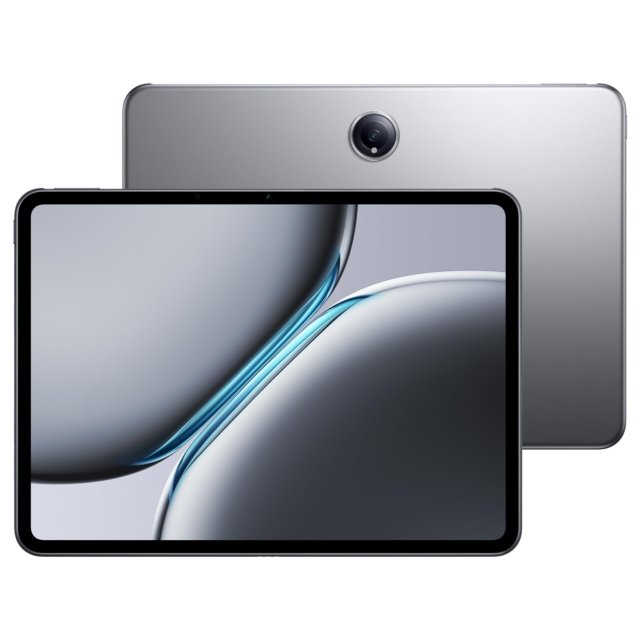
OnePlus Pad 2
Price: Rs.35,999
Display: 12.1” 144Hz LCD
Processor: Snapdragon 8 Gen 3
Battery: 9,510 mAh
Best For: Android power users, display quality, multimedia
Disclaimer : We are a product review website providing honest opinions based on extensive research. Prices mentioned are approximate and may vary.
Redmi Pad 2 Pro 5G – The Budget Media Champion
Price: Rs.29,999
Display: 12.1” 120Hz
Processor: Snapdragon 7s Gen 4
Battery: 12,000 mAh
Best For: Content consumption, students, budget-conscious buyers
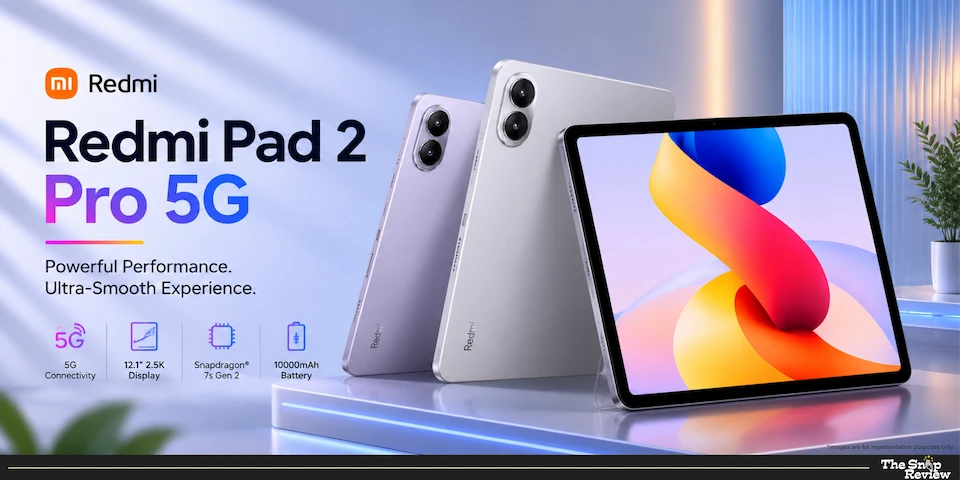
What we like –
Xiaomi has created a tablet that delivers all the essential features without the premium price. The 12.1-inch 120Hz display is truly stunning at this price. The screen is large enough to read, study, or view content, and the 120Hz refresh rate makes scrolling very smooth and responsive. The display quality that was only available in premium devices a few years ago is now available at a budget price.
It’s biggest highlight is its 12,000mAh battery. This battery capacity is quite impressive – you can handle 10-12 hours of video streaming, day-long browsing and document work or long gaming sessions without worrying about finding a charger. This battery life is extremely convenient for students who attend online classes all day or travellers who go on long trips.
The Snapdragon 7s Gen 4 is sufficient for most users. It doesn’t offer flagship-level power, but it handles everyday tasks admirably – browsing, streaming, video calls, document editing, and casual gaming all run smoothly. Apps launch quickly, multitasking between multiple apps is easy, and you won’t notice any significant lag for general use.
Getting 5G connectivity at this price is a real advantage. For those who use a tablet as a secondary device for internet connectivity, 5G means being able to plug in a SIM card and access high-speed internet anywhere. This is especially useful for students who need reliable internet for online classes or for professionals who travel frequently.
Priced at Rs. 22,999, Xiaomi offers a great option. For less than half the price of a premium tablet, you get a large, smooth display, a strong battery, and adequate performance. For budget-conscious buyers, students, or anyone who primarily uses their tablet for media consumption rather than deep creative work, this offer is very attractive.
What could be better –
The processor is adequate but not powerful. Therefore, don’t expect smooth performance when playing demanding games, doing fast video editing, or running multiple apps simultaneously. This tablet is designed for media viewing and light work, not heavy multitasking or creative work.
The MIUI on the pad includes bloatware and pre-installed apps you probably never use. While you can disable most of these, advertising notifications and suggested apps can be annoying. OnePlus’s clean interface or Apple’s ad-free experience feel more premium.
At this price, the plastic construction is understandable, as it’s made of plastic instead of metal, but this is evident during use. The tablet feels sturdy and usable, but doesn’t offer the premium feel of more expensive options. If tactile quality matters to you, this drawback may be a turn-off.
While the display is large and sleek, it’s not as bright as premium options. It’s difficult to see outside in direct sunlight—you’ll have to find a lamp or crank the brightness to maximum, which drains the battery quickly. For those who primarily use their tablet indoors, this won’t be a problem.
Xiaomi’s software updates have always been slow and infrequent compared to its competitors. A low price comes with its drawbacks, and the software support period is one of them. Expect 2-3 years of updates from Xiaomi, compared to the iPad’s 5+ years.
Real talk –
The Redmi Pad 2 Pro 5G is a solid tablet – reliable, affordable, and adept at handling basic tasks. It’s perfect for friends who need a large screen for online studies without going overboard, for families who want a shared device for entertainment, or for everyone who primarily consumes content, not creates it. Its robust battery makes it worth it for those who travel frequently or use their device extensively throughout the day. Rs. At a price of Rs.29,999 you may have to compromise on premium build quality and processing power, but in return you get a tablet that handles everyday usage and also offers exceptional battery life.
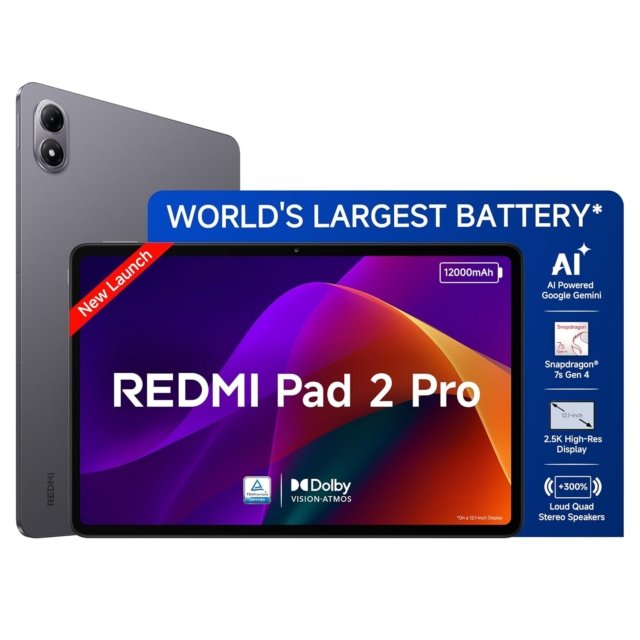
Redmi Pad 2 Pro 5G
Price: Rs.29,999
Display: 12.1” 120Hz
Processor: Snapdragon 7s Gen 4
Battery: 12,000 mAh
Best For: Content consumption, students, budget-conscious buyers
Disclaimer : We are a product review website providing honest opinions based on extensive research. Prices mentioned are approximate and may vary.
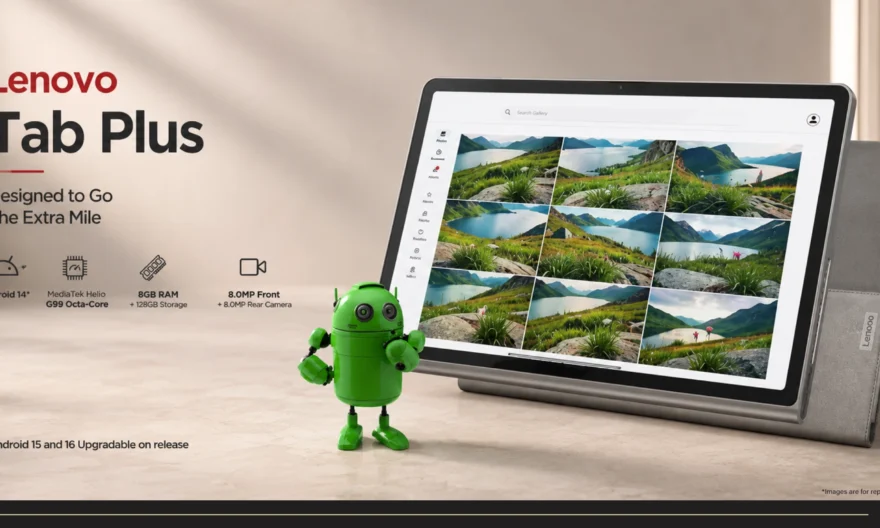
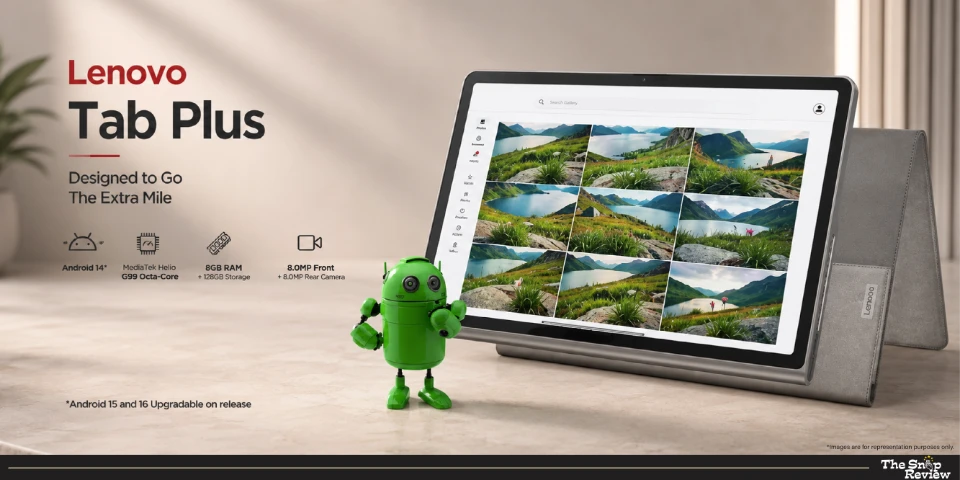
Lenovo Tab Plus – The Entertainment Specialist
Price: Rs.23,999
Display: 11.5” 120Hz
Processor: Helio G99
Battery: 8,600 mAh
Best For: Music and video streaming, casual use, tight budgets
What we like –
Lenovo has focused on one thing and delivered on it perfectly – audio quality. For a budget tablet, the quad JBL speakers are truly powerful. The sound is powerful, rich, and loud enough to comfortably fill the entire room. For watching movies, listening to music or making video calls, these speakers deliver audio quality far superior to the price of the tablet. For casual entertainment, you may not even need external speakers.
The 11.5-inch 120Hz display delivers an excellent visual experience at an affordable price. While it’s not the brightest or most colour-intensive panel, it still feels comfortable and modern, perfect for streaming, browsing and everyday use.
The Helio G99 processor provides sufficient power for typical usage. Browsing, Netflix or YouTube streaming, video calls, reading and light gaming all run smoothly. Even for those who use their tablet primarily for media viewing rather than productivity, this processor provides all the necessary features.
Priced at Rs.23,999, Lenovo offers excellent value for money. You’re getting a great tablet with excellent speakers and a smooth display, while this price is often the price many people buy for premium tablet accessories. This price makes the tablet affordable for budget-conscious buyers, students, or those looking for a secondary device for entertainment.
The 8,600 mAh battery provides a solid day of backup for general use (streaming, browsing, and video calls). While it’s not as long-lasting as the Redmi Pad, it’s sufficient for most user’s daily needs.
What could be better –
The Helio G99 processor is fine for viewing media, but it falls short in demanding tasks. Heavy multitasking, intensive games, or running creative applications expose this processor’s shortcomings. This tablet is designed for viewing, not for innovation.
The build quality is more average than premium. The plastic body feels budget-friendly, but not particularly attractive. If you’re more concerned with the feel of the device, it won’t impress you like premium tablets with metal bodies.
The display’s brightness and colour are accurate, but not exceptional. You’ll need to find a suitable lamp for outdoor use and the panel isn’t accurate enough for colour-critical tasks like photo editing. For general media viewing, it’s fine.
Software updates from Lenovo has always been inconsistent and infrequent. Don’t expect operating system updates for years – you’ll only get mediocre security patches, not long-term OS support.
The range of accessories is limited. It’s difficult to find cases, keyboards, or styluses specifically designed for this model. The availability and quality of accessories are nowhere near that of an iPad or Samsung tablet.
Real talk –
The Lenovo Tab Plus is a practical option – inexpensive, focused on entertainment, and delivering on its promises. It’s perfect for those who want a big screen for Netflix, YouTube, and music streaming but don’t want to spend a fortune, for students on a budget who need a basic tablet for online classes, or for anyone who wants a secondary device for general browsing and viewing content. The JBL speakers really make the entertainment experience much better than expected at this price. For Rs. 23,999, you get excellent performance and excellent audio quality for your price.
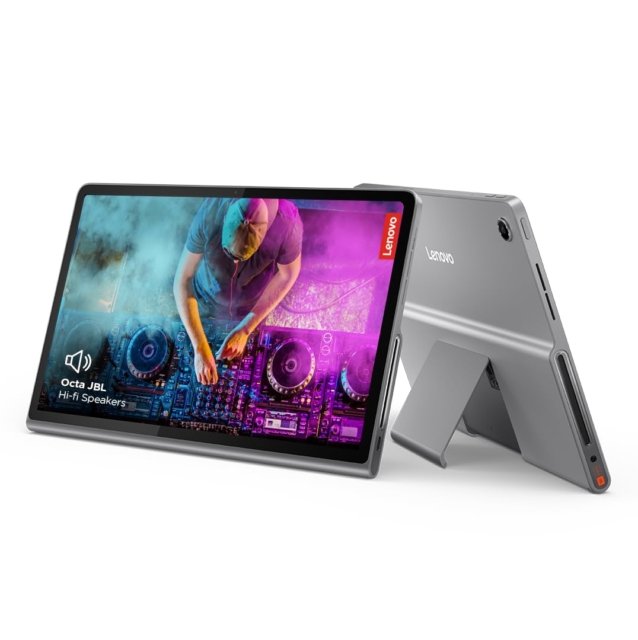
Lenovo Tab Plus
Price: Rs.23,999
Display: 11.5” 120Hz
Processor: Helio G99
Battery: 8,600 mAh
Best For: Music and video streaming, casual use, tight budgets
Disclaimer : We are a product review website providing honest opinions based on extensive research. Prices mentioned are approximate and may vary.
How to Choose the Right Tablet for Your Needs
1. Consider Your Primary Use Case
For creative work (design, video editing, illustration): Apple iPad 11” or Samsung Galaxy Tab S10 Ultra. You need processor power, colour-accurate displays, and professional apps.
For media consumption (streaming, reading, browsing): Redmi Pad 2 Pro 5G or Lenovo Tab Plus. Large displays and long battery life matter more than processing power.
For productivity (documents, presentations, multitasking): OnePlus Pad 2 or Samsung Galaxy Tab S10 Ultra. You need responsive performance and good multitasking capabilities.
For students (online classes, notes, assignments): iPad 11” for app ecosystem quality, or Redmi Pad 2 Pro 5G for budget-conscious buying with good battery life.
For gaming: OnePlus Pad 2 with its 144Hz display and Snapdragon 8 Gen 3, or iPad 11” for optimised gaming apps.
2. Display Size and Quality
11-12 inches: Sweet spot for portability and screen real estate. Comfortable for reading, watching content, and productivity without being unwieldy.
14+ inches: Laptop replacement territory. Better for extensive multitasking, creative work requiring screen space, but less portable.
AMOLED vs LCD: AMOLED (Samsung) offers deeper blacks and better contrast, especially for dark environments. LCD (OnePlus, Redmi) is perfectly adequate and often brighter outdoors.
Refresh rate: 120Hz+ makes scrolling and interactions feel smoother. Once experienced, 60Hz feels noticeably choppier. Worth prioritising if you’re sensitive to smoothness.
3. Processor Performance
Flagship chips (A16, Dimensity 9300+, Snapdragon 8 Gen 3): For creative work, heavy multitasking, demanding games, or future-proofing.
Mid-range chips (Snapdragon 7s Gen 4, Helio G99): For media consumption, light productivity, browsing. Adequate for most users’ needs at lower prices.
Don’t overspend on processing power you won’t use. If you primarily watch Netflix and browse, mid-range performs identically to flagship for those tasks.
4. Battery Life Expectations
8,000-9,000 mAh: 6-8 hours mixed usage. Adequate for most daily use, might need afternoon charging for heavy users.
10,000-12,000 mAh: 8-12 hours mixed usage. All-day battery for typical usage patterns, handles extended use comfortably.
Battery capacity matters more for people who travel, attend online classes all day, or use tablets extensively away from charging points.
5. Ecosystem Considerations
Already own Apple devices? iPad integrates seamlessly with iPhone, Mac, AirPods. The ecosystem convenience is genuinely valuable.
Android phone user? Android tablets offer better cross-device compatibility, easier file sharing, and more flexibility.
Platform-agnostic? Consider app availability for your specific needs. Professional creative apps often favour iPad. Customisation and flexibility favour Android.
Storage Needs –
64GB: Adequate only if you stream everything and don’t store much locally. Fills quickly with apps, photos, downloads.
128-256GB: Sweet spot for most users. Enough space for apps, some downloaded content, photos, without constant management.
512GB+: For creative professionals storing large project files, or people who download extensive content libraries.
Cloud storage helps, but local storage remains important for offline access and working without internet connectivity.
Common Mistakes to Avoid When Buying a Camera Phone
1. Ignoring the App Ecosystem (The iPad Advantage You’re Underestimating) –
Choosing a tablet based only on specs and price can backfire if your essential apps aren’t properly optimised. Many Android apps are stretched phone versions, while several creative apps like Procreate, LumaFusion, Notability, and GoodNotes are iPad-exclusive or better optimised on iPad.
Who Should Prioritise iPad?
- Designers, illustrators, video editors
- Students who rely heavily on note-taking apps
Who Can Choose Android Comfortably?
- Streaming and browsing users
- Light productivity and casual usage
Before buying, list the apps you’ll use daily — hardware matters, but the app experience matters more.
2. Falling for the “Laptop Replacement” Marketing (Without Keyboard Reality Check) –
Buying a tablet expecting it to replace your laptop can lead to disappointment. Good keyboard accessories like Apple Magic Keyboard or Samsung Keyboard Cover can cost Rs.8,000–20,000 extra, and tablets—even with features like Samsung DeX—still don’t match true laptop-level multitasking for heavy work.
Tablet Alone Is Enough If:
Usage is mostly streaming, browsing, and short emails
typing is occasional, not daily long-form work
You’ll Need a Keyboard (or Laptop) If:
You write long documents regularly
Work involves constant typing and multitasking
Smart move: Use the tablet first, then decide on a keyboard based on real need—not marketing hype.
3. Impulse Buying During Sales Without Research –
Festival sales can create urgency, making heavy discounts look irresistible. But many “50% off” deals are based on inflated MRPs, and older models are often pushed when new ones launch.
Why It Backfires:
- You buy based on price, not suitability
- Older generation models look attractive but lack long-term value
- “Limited stock” pressure leads to rushed decisions
Smarter Approach:
- Shortlist 2–3 models before the sale
- Track prices in advance
- Compare across retailers and check bank offers
- Buy only if your chosen model is genuinely discounted
4. Forgetting About Repair Costs and Service Center Availability –
Most buyers don’t think about repairs until something breaks. But tablet repairs can cost 40–60% of the device price, and premium models like Apple iPad can have screen replacements costing Rs.25,000 or more. In smaller cities, limited service centres may mean long waiting times.
Why It Matters:
- High screen and battery replacement costs
- Limited service network in non-metro cities
- Poor after-sales support from some budget brands
Before Buying, Check:
- Is there a service centre near you?
- What are common repair costs?
- Does the brand offer accidental damage protection?
A reliable service network often matters more than premium features.
5. Buying Based on Brand Loyalty Instead of Best Device for Your Needs –
Choosing a tablet just because you prefer a brand like Samsung or Apple can make you overlook better-value options. Ecosystems offer benefits like seamless syncing, but they can also lead to overpaying for familiarity rather than real performance.
When Ecosystem Matters:
- Heavy Apple user → iPad integration adds real value
- Full Samsung setup → Galaxy Tab sync works better
- Want seamless device continuity → Staying in one brand helps
When It Doesn’t:
- Tablet used mostly stand-alone
- You rely on cross-platform apps like Google or Microsoft
- Budget-focused buying → Specs per rupee matter more
Overall Insights: Which One Should You Buy?
- If you’re a creative professional or serious Apple app user: Apple iPad 11” delivers the app ecosystem, colour accuracy, and processing power professional work demands. The longevity of software support justifies the investment.
- If you want flagship performance at reasonable pricing: OnePlus Pad 2 offers Snapdragon 8 Gen 3 power, 144Hz display, and solid build quality at Rs.36,999 – tremendous value for Android power users.
- If you need absolute best performance and display regardless of price: Samsung Galaxy Tab S10 Ultra is the Android tablet king. Massive AMOLED display, powerful processor, and DeX mode make it a genuine laptop replacement.
- If you prioritise battery life and value: Redmi Pad 2 Pro 5G delivers 12,000 mAh battery, large 120Hz display, and adequate performance at budget pricing. Perfect for students and content consumers.
- If entertainment quality matters on a tight budget: Lenovo Tab Plus focuses on audio quality with JBL speakers and provides a large smooth display at the most affordable price. Great for families or secondary devices.
Frequently Asked Questions
Q: Do I really need a tablet if I have a laptop and smartphone?
Depends on usage patterns:
Tablets excel at: – Comfortable media consumption (reading, streaming) – more portable than laptops, larger screen than phones – Casual couch browsing – lighter, more relaxed than laptop – Digital note-taking with stylus – better than phone, more natural than laptop typing – Portable productivity – lighter than laptop for basic work on the go
Tablets struggle with: – Complex creative work requiring desktop software – Extensive typing without external keyboard – Specialised professional applications
For people who primarily consume content, tablets add genuine value. For people whose device usage is primarily creation and heavy productivity, laptops remain superior.
Q: How long do tablets typically last?
With proper care:
Premium tablets (iPad, Samsung flagship): 4-6 years of useful life with software updates supporting longevity
Mid-range tablets (OnePlus, Redmi): 3-4 years before performance feels dated or software updates stop
Budget tablets (Lenovo): 2-3 years of satisfactory performance, longer if usage remains basic
Battery degradation typically becomes noticeable after 2-3 years regardless of price segment.
Q: Are Android tablets catching up to iPad?
Yes and no:
Hardware: Android tablets now match or exceed iPad in display quality, processing power, and battery life.
Software: iPadOS remains more polished, app ecosystem remains stronger for professional work, and software update longevity favours Apple.
Value: Android tablets offer flagship specifications at lower prices than comparable iPads.
For professional creative work, iPad’s app ecosystem advantage remains significant. For general use, media consumption, and productivity, flagship Android tablets compete effectively.
Q: Should I buy cellular version or WiFi-only?
Consider cellular (5G/LTE) if: – You travel frequently and need internet anywhere – Using tablet as secondary work device requiring constant connectivity – Student needing reliable internet for online classes beyond home WiFi – Don’t want to tether to phone or rely on public WiFi
WiFi-only sufficient if: – Primary usage at home/office with reliable WiFi – Willing to tether to phone when travelling – Budget-conscious – cellular versions cost Rs.5,000-10,000 more plus data plan
Most users are satisfied with WiFi-only, using phone tethering occasionally when needed.
Q: What about 5G versus 4G LTE?
5G matters if: – You live in areas with good 5G coverage (major metros) – Using tablet for streaming high-quality content on cellular – Future-proofing – 5G will become standard
4G LTE adequate for: – Basic browsing, email, video calls – 4G handles these smoothly – Areas without reliable 5G coverage yet – Budget considerations – 4G versions often cost less
5G is nice to have but not essential for most tablet usage patterns currently.
Q: Are tablet keyboards worth buying?
Worth it for: – Regular typing – emails, documents, extensive note-taking – Using tablet as laptop replacement – People who type significantly faster than they swipe
Skip if: – Primarily consuming content rather than creating – Occasional typing sufficient with on-screen keyboard – Budget-conscious – quality keyboards cost Rs.8,000-20,000
Start without, add later if you find yourself frustrated with on-screen typing frequently.
Q: What about stylus/pen – necessary or gimmick?
Genuinely useful for: – Digital note-taking in classes or meetings – Artists doing digital illustration – Annotating documents, PDFs, presentations – Anyone who thinks visually and sketches ideas
Probably unnecessary for: – Pure media consumption users – People who prefer typing over handwriting – Casual users without specific creative needs
Apple Pencil and S Pen are excellent tools, but only valuable if you’ll actually use them. Don’t buy based on “might use someday” – buy when you have specific use cases in mind.
Disclaimer: We are a product review website providing honest opinions based on extensive research and real-world usage analysis. Prices mentioned are approximate and may vary based on sales, offers, and location.