
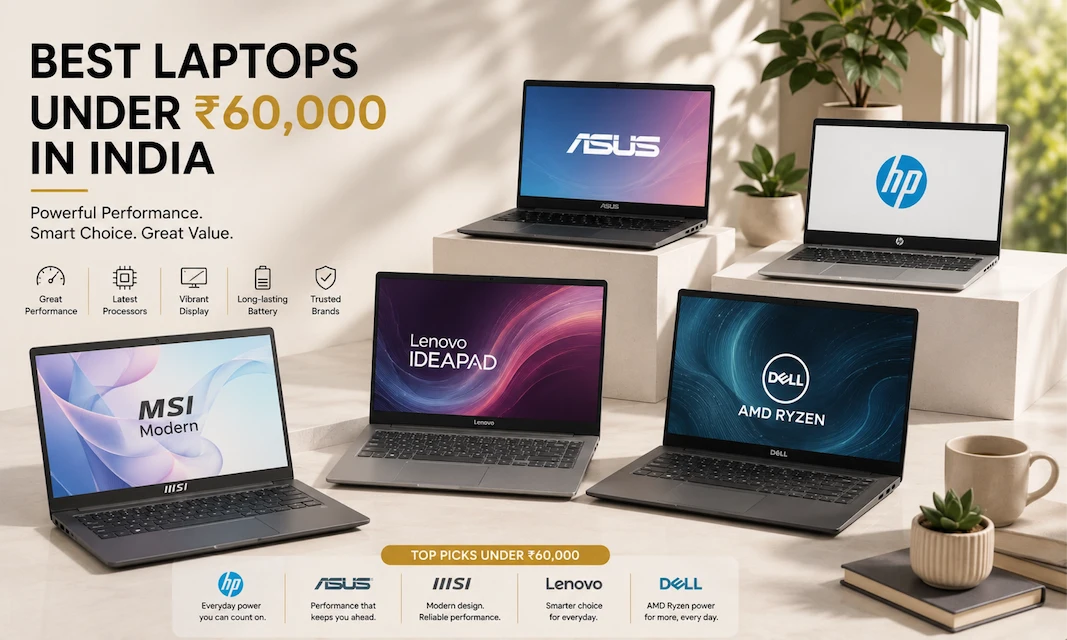
Best Laptops Under 60000

Performance Without the Price Tag

Laptops have become just as essential as phones—but unlike with phones, making the wrong choice can cost you both money and productivity. From working professionals to students, everyone needs a laptop that truly performs well—not one that runs slowly, crashes, or becomes obsolete within just six months.

The Real Problem Most People Face

You visit Amazon India or Croma with a budget of Rs.60,000. There, you find over 200 laptop options. Some promise ‘gaming performance,’ others boast about “AI processors,” and some simply look expensive but aren’t actually practical. By the time you’ve read through half the specifications, you are far more confused than when you started.

The Good News

Over the past five years, brands like HP, ASUS, Lenovo, MSI, and Dell have made excellent laptops available across every budget range. In India, a budget of Rs.60,000 currently offers a great range of options. You are no longer paying merely for the brand name; instead, you are getting genuine performance at the right price.

At ‘The Snap Review,’ we don’t just look at specification sheets and marketing copy. We have spent weeks meticulously analyzing thousands of customer reviews from platforms like Amazon India, Flipkart, Croma, Vijay Sales, and Reliance Digital. We compare laptops based on what truly matters to Indian users—such as real-world performance, reliable battery life, cooling efficiency during heavy workloads, build quality, and the quality of after-sales service available in your city.

We have done the research so that you don’t have to go through the trouble.

Best Laptops Under 60000

Our Top 5 Picks at a Glance


HP 15-fc0533AU AMD Ryzen 7

Best For: Best overall performance
Price Range: Rs. 59,990


MSI Modern 15 B13M-1200IN
Best For: Best for office productivity
Price Range: Rs. 56,490


ASUS Vivobook 15 X1504VAP

Best For: Best for balanced daily use
Price Range: Rs. 59,990


Lenovo IdeaPad Slim 3 15IRU8
Best For: Best budget-friendly student
Price Range: Rs. 57,990


Dell DC15255 AMD Ryzen 5
Best For: Best for reliability
Price Range: Rs. 57,990

Here are our honest findings:

HP 15-fc0533AU AMD Ryzen 7

Best For: Best overall performance
Price Range: Rs. 59,990

HP 15-fc0533AU AMD Ryzen 7

What We Like –

The HP 15-fc0533AU is designed for those who truly need a laptop with powerful performance. With its AMD Ryzen 7 processor, this laptop makes no compromises on speed—and that matters a lot when you are working on emails, spreadsheets, and browser tabs simultaneously.

The Ryzen 7 is the real star here. It handles multitasking with great ease and efficiency. Whether you have 15 browser tabs open, are running Photoshop, or are on a video call simultaneously, the laptop doesn’t slow down at all. Even during heavy workloads, it remains quiet and cool.

At a price of Rs.59,990, you get premium performance comparable to a gaming laptop—the kind that usually costs over Rs.1,00,000. Whether you are a content creator, a programmer, or someone who works with heavy software, this laptop proves that you don’t need to spend a fortune to achieve professional-level performance.

What Could Be Better –

This laptop isn’t meant for gaming. Its integrated graphics are good for productivity and light creative tasks. If gaming is your priority, consider a different laptop. The battery life is decent—around 6–7 hours with mixed usage—but not exceptional. If you frequently move between rooms and work all day without plugging in, you might find yourself spending more time near a power outlet than you’d prefer.

Real Talk –

This laptop is for professionals who want powerful performance without spending a fortune. If your work is truly demanding and you have a budget of Rs. 60,000, the HP Ryzen 7 offers the best performance for the price. This laptop won’t let you down when the pressure is on.

HP 15-fc0533AU AMD Ryzen 7

HP 15-fc0533AU AMD Ryzen 7

Best For: Best overall performance
Price Range: Rs. 59,990

Disclaimer : We are a product review website providing honest opinions based on extensive research. Prices mentioned are approximate and may vary.

ASUS Vivobook 15 X1504VAP

Best For: Best for balanced daily use
Price Range: Rs. 59,990

ASUS Vivobook 15 X1504VAP

What We Like –

ASUS has established a reputation for understanding the real needs of everyday users, and the Vivobook 15 is a testament to that. This laptop is a perfect example of being ‘balanced’—it is neither the fastest nor the cheapest, yet it is an excellent laptop in every respect.

The Intel Core 5 (newer branding) handles everyday tasks exceptionally well. Whether it’s browsing, using office apps, making video calls, or even doing some light photo editing, the laptop never feels sluggish. It’s not just about raw speed; it’s about consistent performance. When you open a file, it opens instantly—every single time. This reliability matters far more than benchmark results.

Its build quality is clearly superior to other laptops in the same price range. Its aluminum chassis feels quite robust. When closed, the laptop seems capable of withstanding jolts or minor impacts. For students who carry it in their bags every day, this durability effectively translates into saving money over three years.

Its 15.6-inch FHD display is bright and accurate. The colors look natural, not overly vibrant. For those who work with images or watch movies, this screen is excellent considering the price point. The 300-nit brightness means you can work outdoors without squinting—a feature rarely seen at this price.

This laptop has a massive presence on Amazon, Croma, and Flipkart, which means that obtaining warranty support or a replacement is truly easy. In India, that is no small matter.

What Could Be Better –

The RAM and storage are decent but not outstanding. Starting with 8GB of RAM means you might feel the limitation if you have multiple apps open simultaneously. 16GB would have been a better option (for future-proofing), but that would increase the price.

Its trackpad works fine, but it is small compared to those of its competitors. If you do precision work without a mouse, you might find this bothersome. In any case, power users will likely buy a separate mouse anyway, so it isn’t a major issue—just a minor inconvenience.

The keyboard has short travel. While it is good, it isn’t as satisfying as mechanical keyboards with deeper travel. Those who type with a heavy touch might prefer the typing experience offered by HP or MSI.

Real Talk –

The ASUS Vivobook is a laptop for those who want everything to run smoothly and effortlessly. There are no issues with overheating, sudden hangs, or complaints like “Why is my laptop so slow?” It is the Honda Accord of the laptop world—reliable, practical, and quietly efficient. If you are undecided about what you need, or simply want a laptop that handles every task competently, this is a safe choice.

ASUS Vivobook 15 X1504VAP

ASUS Vivobook 15 X1504VAP

Best For: Best for balanced daily use
Price Range: Rs. 59,990

Disclaimer : We are a product review website providing honest opinions based on extensive research. Prices mentioned are approximate and may vary.

MSI Modern 15 B13M-1200IN

Best For: Best for office productivity
Price Range: Rs. 56,490

MSI Modern 15 B13M-1200IN

What We Like –

MSI is known for its gaming laptops, but the Modern 15 series demonstrates that they understand the needs of professionals just as well. This laptop is designed specifically for office work—meaning it is optimized for the kind of tasks most of us actually perform throughout the day.

The Intel Core i5 (13th Gen) is excellent for productivity. It handles emails, documents, spreadsheets, and presentations with great speed. A standout feature is how easily it manages large Excel files containing thousands of rows. There is no lag or freezing—just smooth performance. If you work with data, you will definitely appreciate it.

Priced at Rs. 56,490, this is the most affordable option on our list, yet it certainly doesn’t feel like any compromises have been made. MSI has stripped away the smart features and passed the resulting cost savings on to you.

Its cooling is excellent. Laptops in MSI’s Modern series remain completely quiet even under load. Unlike budget laptops—which sound like jet engines when playing videos—this laptop stays truly quiet. It is highly beneficial for office environments and Zoom calls.

It features a 15.6-inch 1080p matte display (not glossy), which means there is no glare. If you work near windows or in a brightly lit office, a matte screen is superior to a glossy one; you will notice the difference after working for two hours.

What Could Be Better –

Its design is boring. It looks just like every other silver-grey laptop. If looks matter to you, it won’t excite you. However, being boring is often a sign of reliability.

Its battery life is decent—around 5–6 hours. MSI has prioritized performance and quiet cooling over extended battery life. If you move between offices or use it in a coffee shop, you should know where the nearest power outlet is.

The trackpad is decent, but it doesn’t feel premium. You’ll need a mouse for precision tasks anyway—and for office work, using a mouse is the norm.

Real Talk –

This laptop is designed for office workers, analysts, and anyone whose primary work revolves around office productivity. If you spend your day working with Excel, PowerPoint, and email—and want a laptop that handles these tasks easily without overheating—then the MSI Modern 15 is the best choice for you. It may not be flashy, but it is certainly smart. You get the kind of performance that would cost significantly more with other brands, simply because MSI has stripped away the unnecessary gaming-related features you don’t need.

MSI Modern 15 B13M-1200IN

MSI Modern 15 B13M-1200IN

Best For: Best for office productivity
Price Range: Rs. 56,490

Disclaimer : We are a product review website providing honest opinions based on extensive research. Prices mentioned are approximate and may vary.

Lenovo IdeaPad Slim 3 15IRU8

Best For: Best budget-friendly student
Price Range: Rs. 57,990

Lenovo IdeaPad Slim 3 15IRU8

What We Like –

We understand that students are mindful of their budgets, and Lenovo understands this too. The IdeaPad Slim 3 has been designed to be particularly affordable, but that doesn’t mean it compromises on quality.

The Intel Core i3 is perfect for college work. It easily handles everything a student needs—notes, documents, coding (from basic to intermediate levels), video calls, and research. It may not be lightning-fast, but it is reliable. No false promises, just consistently good performance.

At a price of Rs. 57,990, this is a truly affordable option for a new laptop. For students undecided between this and an older model, opting for a new device that comes with a warranty would be the wiser choice. While the warranty covers manufacturing defects, it does not cover accidental damage—such as spilling coffee on the laptop—so choose carefully.

Its design has been kept intentionally minimalist. Despite being a 15.6-inch machine, it is lightweight—around 1.6kg—which matters when you are carrying it to class. The trackpad is responsive, and the keyboard is good for daily typing; it may not be outstanding, but it is certainly usable.

Lenovo is easily available across India. You can find this laptop everywhere—on Amazon and Flipkart, as well as at retailers like Vijay Sales and Croma. This means that if any issues arise, you have multiple service options and won’t need to travel far to get it serviced.

What Could Be Better –

It has integrated graphics, which means it is not at all suitable for gaming. If you want to game after college, this machine is not for you; it is meant solely for work.

Its display has a resolution of 1366 x 768—which is lower than the 1920 x 1080 resolution offered by competitors. You might need to strain your eyes a bit when reading small text in PDFs or doing coding work. This is an area where Lenovo has compromised to cut costs, and the impact is clearly noticeable.

Real Talk –

This is the right laptop for first-year college students who need one right now but aren’t entirely sure if they’ll stick with their chosen major—or even finish college, to be honest. It’s affordable and reliable, so your parents won’t have to spend a fortune on it. You won’t get premium features—like the fastest processor or the most stunning design—but you will get a practical laptop that won’t embarrass you in class. You can always upgrade after graduation; for now, this will get the job done.

Lenovo IdeaPad Slim 3 15IRU8

Lenovo IdeaPad Slim 3 15IRU8

Best For: Best budget-friendly student
Price Range: Rs. 57,990

Disclaimer : We are a product review website providing honest opinions based on extensive research. Prices mentioned are approximate and may vary.

Dell DC15255 AMD Ryzen 5

Best For: Best for reliability
Price Range: Rs. 57,990

Dell DC15255 AMD Ryzen 5

What We Like –

Dell is well-regarded in India for its after-sales support. This service is not merely available; it is genuinely helpful. If you are someone who tends to panic when a laptop malfunctions, Dell’s support network could prove to be extremely useful for you.

The AMD Ryzen 5 is an excellent processor—it is more powerful than the Core i3 and not as expensive as the Ryzen 7. It is the perfect processor for most users; it handles multitasking with ease and does not overheat under normal loads.

Its build quality is robust. Dell laptops in this range feel durable. The hinges do not seem flimsy, the keyboard keys function well, and the overall construction suggests it won’t easily break or malfunction. This matters when considering three years of daily use.

Its 15.6-inch display is a standard 1080p panel; there is nothing extraordinary about it, but it is quite good for all tasks—except for work involving detailed photo or video editing. It is bright enough for indoor use, and the color accuracy is quite good.

Dell has an extensive warranty and support network. If something goes wrong, you can visit authorized service centers located in most cities across India. The peace of mind this offers is truly significant, and some people might even be willing to pay a premium for it alone.

What Could Be Better –

Its battery life is decent—around 6 hours with mixed usage. It is neither excellent nor terrible. Those who frequently work away from the office will likely feel the need for a power bank.

Its design is so plain that it is easily forgettable. It looks just like any other dark-grey Dell laptop. That isn’t a bad thing; it simply has a corporate look. If you are looking for a laptop that stands out due to its design, this isn’t the one.

The keyboard is good, but it lacks the quality of a premium laptop. The keys feel a bit soft or mushy. You won’t notice this after a month of use, but initially, it will feel just like a budget laptop.

Real Talk –

For those who prioritize after-sales service above all else, Dell is a safe choice. If you worry about what might happen if something goes wrong—especially when living in a Tier-2 or Tier-3 city in India—then Dell’s service network is truly valuable. The laptop itself is good, sturdy, and reliable. It may not offer anything extraordinary, but it certainly doesn’t disappoint. Here, you are paying for peace of mind rather than innovation.

Dell DC15255 AMD Ryzen 5

Dell DC15255 AMD Ryzen 5

Best For: Best for reliability
Price Range: Rs. 57,990

Disclaimer : We are a product review website providing honest opinions based on extensive research. Prices mentioned are approximate and may vary.

How to Choose the Right Laptop for Your Needs

Start With Your Primary Use Case

This is the biggest decision and most people get it wrong.

Heavy Multitasking (Browser Tabs, Multiple Apps): The HP Ryzen 7 handles chaos better than others. Get it.

Office Work Only (Excel, Email, Documents): MSI Modern 15 is optimized for this. You’ll save Rs. 3,500 and be happier.

Light Use (Browsing, Documents, Video Calls): Lenovo IdeaPad or ASUS Vivobook – both are solid, pick based on design preference.

Maximum Reliability & After-Sales Support: Dell’s service network in India is genuinely better. If you live in a smaller city, this matters.

Balanced Everything (Not Best at One Thing, Good at Everything): ASUS Vivobook is the safest choice.

Processor Tiers Explained (No BS)

  • Intel Core i3 (13th Gen): Enough for student work and office use. Not for heavy creative work or coding compilation.
  • Intel Core 5 / AMD Ryzen 5: The sweet spot. Handles everything except demanding creative software. Recommended for most users.
  • Intel Core i5 / AMD Ryzen 7: High performance processors for demanding work like video editing, programming, data analysis. Only get this if you actually need the power.

Battery Life Reality Check

The spec sheet says 8 hours. Real-world? Here’s the truth:

Actual battery life depends on brightness, apps running, and your usage pattern.

At 50% brightness (normal office lighting): 6-7 hours for most laptops here.

At 80% brightness (typical use): 5-6 hours.

Heavy use (video, downloads): 4-5 hours.

For office workers: This is fine. Plug in at lunch, work until evening.

For students: Get a power bank. 10,000mAh is enough for an extra 2-3 hours.

RAM and Storage – The Upgrade Reality

All laptops here come with 8GB RAM and 256GB SSD at minimum.

Is 8GB enough?

  • For office use: Yes, perfectly fine.
  • For coding/multitasking: Push it, but manageable.
  • For future-proofing: 16GB is better, but costs Rs. 5,000-8,000 more.

Is 256GB storage enough?

  • For most users: Yes, Windows takes ~40GB, leaving 200GB.
  • For media creatives: No, upgrade to 512GB (adds Rs. 3,000-4,000).
  • Consider external SSDs if you need more – 500GB external SSD costs Rs. 2,000-3,000 anyway.

Cooling – The Feature Nobody Measures but Everyone Feels

When a laptop overheats, its performance slows down (this is known as ‘throttling’). Throttling means that the laptop slows down precisely when you need speed the most.

In this regard, the HP Ryzen 7 and MSI Modern 15 offer the best thermal management. These laptops stay cool even during heavy workloads—a factor that matters more in India’s hot climate than anywhere else.

The After-Sales Support Reality

India is big. Service availability varies.

Best Support Network: Dell > ASUS > HP > Lenovo > MSI Important: Even the best support requires you to physically visit or ship the laptop. Keep that in mind.

Overall Insights: Which Laptop Should You Actually Buy?

You want maximum performance for work: → HP 15-fc0533AU AMD Ryzen 7 (Rs. 59,990)

  • Fastest multitasking, best for professionals and content creators
  • Amazon / Croma

You want reliability and after-sales support: → Dell DC15255 AMD Ryzen 5 (Rs. 57,990)

  • Solid performance, excellent service network
  • Croma / Amazon

You want balanced performance and durability: → ASUS Vivobook 15 X1504VAP (Rs. 59,990)

  • Good at everything, best build quality at this price
  • Amazon / Croma / Flipkart

You want the best value for office work: → MSI Modern 15 B13M-1200IN (Rs. 56,490)

  • Optimized for productivity, quietest thermals, cheapest
  • Croma / Amazon

You’re a student on a strict budget: → Lenovo IdeaPad Slim 3 15IRU8 (Rs. 57,990)

  • Affordable, lightweight, reliable warranty support
  • Flipkart / Amazon

Frequently Asked Questions

Is Rs. 60,000 a Good Budget for a Laptop in 2026?

Yes, absolutely. Here’s why:

  • You’re getting entry-level performance that was premium just 3-4 years ago.
  • Most of these laptops will last 4-5 years with normal use.
  • You’re not overpaying for a brand name or gaming features you don’t need.
  • The processors (Core i3 to Ryzen 7) are genuinely capable.

However: If you can stretch to Rs. 80,000-90,000, you get 16GB RAM and better displays. If your budget is locked at Rs. 60,000, these are your best options.

Should I Buy Now or Wait for Sales?

Laptop prices are surprisingly stable on Amazon and Flipkart. During Diwali, Great Indian Festival, or Amazon Prime Day, you might see Rs. 2,000-3,000 discounts. Not game-changing, but worth waiting for.

Best buying windows:

  • Diwali sales (Sept-Oct)
  • Great Indian Festival (Aug, Dec)
  • Amazon Prime Day (July)
  • Year-end clearance sales (December)

What’s the Best Place to Buy – Amazon, Flipkart, Croma, or Vijay Sales?

Amazon India: Fastest delivery, best return policy (30 days), most pricing competition. Flipkart: Similar to Amazon, sometimes better deals on Lenovo/Motorola products. Croma: Can see the laptop in person before buying (if store is nearby), decent return policy. Vijay Sales: Aggressive pricing, good for negotiation if buying in-store. Reliance Digital: More limited inventory but sometimes exclusive deals.

Our pick: Start with Amazon or Flipkart for price comparison. If you want to see the laptop before buying, visit Croma. Negotiate in-store at Vijay Sales for better deals.

How Long Will These Laptops Last?

With normal use (no spills, regular cleaning):

  • 3-5 years: Guaranteed, zero issues.
  • 5-7 years: Likely, minor software slowdowns possible.
  • 7+ years: Battery will probably need replacement, performance will lag behind new laptops.

By year 5-6, newer software will start demanding more, but these laptops won’t suddenly break.

Is Upgrading RAM or Storage Worth It?

RAM upgrade (8GB to 16GB): Costs Rs. 4,000-6,000 at purchase, or Rs. 3,000-4,000 later. Recommended if you multitask heavily or code. Skip if you’re on a budget.

Storage upgrade (256GB to 512GB): Costs Rs. 3,000-5,000. Only if you work with large files (video, design). For documents and everyday use, 256GB is fine (plus, you can always get an external SSD).

Can I Play Games On These Laptops?

Briefly honest answer:

  • Light games (Fortnite at low settings, PUBG mobile, indie games): Yes, barely.
  • Modern AAA games (Cyberpunk, Call of Duty): No, absolutely not.

If gaming is a priority, you need a dedicated GPU, which pushes the budget to Rs. 90,000+. These are productivity laptops.

What about overheating in Indian summer?

Real concern. Laptops get hot in summer heat.

Tips:

  • Keep the vents clear (dust blocks airflow)
  • Use a laptop stand (elevates the laptop for better airflow)
  • Clean the internal cooling fans every 3-4 months
  • Don’t use the laptop on soft surfaces (beds, couches) – they block vents
  • Consider a cooling pad (Rs. 1,000-2,000) if you work in peak summer

The HP Ryzen 7 and MSI Modern 15 handle heat better than others here. That’s relevant if you’re in a hot climate.

Should I Get Extended Warranty?

Standard warranty is 1-2 years. Extended warranty extends it to 3-4 years.

Worth it? Only if:

  • You’re accident-prone (drops, spills, etc.)
  • You work in a dusty environment
  • You plan to keep the laptop beyond 4 years

For careful users, standard warranty is enough. Accidents aren’t covered by extended warranty anyway.

Disclaimer: We are a product review website providing honest opinions based on extensive research and real-world usage analysis. Prices mentioned are approximate and may vary based on sales, offers, and location.