Best Laptops Under 60000

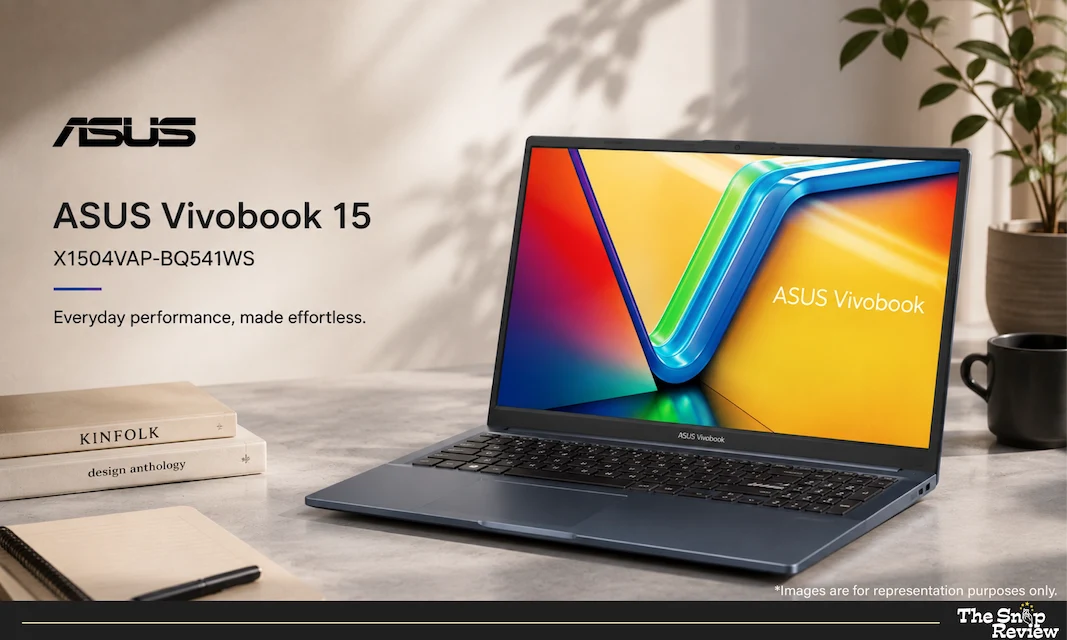
ASUS Vivobook 15 X1504VAP

Best For: Best for balanced daily use
Price Range: Rs. 59,990

What We Like –

ASUS has established a reputation for understanding the real needs of everyday users, and the Vivobook 15 is a testament to that. This laptop is a perfect example of being ‘balanced’—it is neither the fastest nor the cheapest, yet it is an excellent laptop in every respect.

The Intel Core 5 (newer branding) handles everyday tasks exceptionally well. Whether it’s browsing, using office apps, making video calls, or even doing some light photo editing, the laptop never feels sluggish. It’s not just about raw speed; it’s about consistent performance. When you open a file, it opens instantly—every single time. This reliability matters far more than benchmark results.

Its build quality is clearly superior to other laptops in the same price range. Its aluminum chassis feels quite robust. When closed, the laptop seems capable of withstanding jolts or minor impacts. For students who carry it in their bags every day, this durability effectively translates into saving money over three years.

Its 15.6-inch FHD display is bright and accurate. The colors look natural, not overly vibrant. For those who work with images or watch movies, this screen is excellent considering the price point. The 300-nit brightness means you can work outdoors without squinting—a feature rarely seen at this price.

This laptop has a massive presence on Amazon, Croma, and Flipkart, which means that obtaining warranty support or a replacement is truly easy. In India, that is no small matter.

What Could Be Better –

The RAM and storage are decent but not outstanding. Starting with 8GB of RAM means you might feel the limitation if you have multiple apps open simultaneously. 16GB would have been a better option (for future-proofing), but that would increase the price.

Its trackpad works fine, but it is small compared to those of its competitors. If you do precision work without a mouse, you might find this bothersome. In any case, power users will likely buy a separate mouse anyway, so it isn’t a major issue—just a minor inconvenience.

The keyboard has short travel. While it is good, it isn’t as satisfying as mechanical keyboards with deeper travel. Those who type with a heavy touch might prefer the typing experience offered by HP or MSI.

Real Talk –

The ASUS Vivobook is a laptop for those who want everything to run smoothly and effortlessly. There are no issues with overheating, sudden hangs, or complaints like “Why is my laptop so slow?” It is the Honda Accord of the laptop world—reliable, practical, and quietly efficient. If you are undecided about what you need, or simply want a laptop that handles every task competently, this is a safe choice.

ASUS Vivobook 15 X1504VAP

ASUS Vivobook 15 X1504VAP

Best For: Best for balanced daily use
Price Range: Rs. 59,990

Disclaimer : We are a product review website providing honest opinions based on extensive research. Prices mentioned are approximate and may vary.

How to Choose the Right Laptop for Your Needs

Start With Your Primary Use Case

This is the biggest decision and most people get it wrong.

Heavy Multitasking (Browser Tabs, Multiple Apps)

Office Work Only (Excel, Email, Documents)

Light Use (Browsing, Documents, Video Calls)

Maximum Reliability & After-Sales Support

Balanced Everything (Not Best at One Thing, Good at Everything)

Processor Tiers Explained (No BS)

  • Intel Core i3 (13th Gen): Enough for student work and office use. Not for heavy creative work or coding compilation.
  • Intel Core 5 / AMD Ryzen 5: The sweet spot. Handles everything except demanding creative software. Recommended for most users.
  • Intel Core i5 / AMD Ryzen 7: High performance processors for demanding work like video editing, programming, data analysis. Only get this if you actually need the power.

Battery Life Reality Check

The spec sheet says 8 hours. Real-world? Here’s the truth:

Actual battery life depends on brightness, apps running, and your usage pattern.

At 50% brightness (normal office lighting): 6-7 hours for most laptops here.

At 80% brightness (typical use): 5-6 hours.

Heavy use (video, downloads): 4-5 hours.

For office workers: This is fine. Plug in at lunch, work until evening.

For students: Get a power bank. 10,000mAh is enough for an extra 2-3 hours.

RAM and Storage – The Upgrade Reality

All laptops here come with 8GB RAM and 256GB SSD at minimum.

Is 8GB enough?

  • For office use: Yes, perfectly fine.
  • For coding/multitasking: Push it, but manageable.
  • For future-proofing: 16GB is better, but costs Rs. 5,000-8,000 more.

Is 256GB storage enough?

  • For most users: Yes, Windows takes ~40GB, leaving 200GB.
  • For media creatives: No, upgrade to 512GB (adds Rs. 3,000-4,000).
  • Consider external SSDs if you need more – 500GB external SSD costs Rs. 2,000-3,000 anyway.

Cooling – The Feature Nobody Measures but Everyone Feels

When a laptop overheats, its performance slows down (this is known as ‘throttling’). Throttling means that the laptop slows down precisely when you need speed the most.

In this regard, the HP Ryzen 7 and MSI Modern 15 offer the best thermal management. These laptops stay cool even during heavy workloads—a factor that matters more in India’s hot climate than anywhere else.

The After-Sales Support Reality

India is big. Service availability varies.

Even the best support requires you to physically visit or ship the laptop. Keep that in mind.

Frequently Asked Questions

Is Rs. 60,000 a Good Budget for a Laptop in 2026?

Yes, absolutely. Here’s why:

  • You’re getting entry-level performance that was premium just 3-4 years ago.
  • Most of these laptops will last 4-5 years with normal use.
  • You’re not overpaying for a brand name or gaming features you don’t need.
  • The processors (Core i3 to Ryzen 7) are genuinely capable.

However: If you can stretch to Rs. 80,000-90,000, you get 16GB RAM and better displays. If your budget is locked at Rs. 60,000, these are your best options.

Should I Buy Now or Wait for Sales?

Laptop prices are surprisingly stable on Amazon and Flipkart. During Diwali, Great Indian Festival, or Amazon Prime Day, you might see Rs. 2,000-3,000 discounts. Not game-changing, but worth waiting for.

Best buying windows:

  • Diwali sales (Sept-Oct)
  • Great Indian Festival (Aug, Dec)
  • Amazon Prime Day (July)
  • Year-end clearance sales (December)

What’s the Best Place to Buy – Amazon, Flipkart, Croma, or Vijay Sales?

Amazon India: Fastest delivery, best return policy (30 days), most pricing competition. Flipkart: Similar to Amazon, sometimes better deals. Croma: Can see the laptop in person before buying (if store is nearby), decent return policy. Vijay Sales: Aggressive pricing, good for negotiation if buying in-store. Reliance Digital: More limited inventory but sometimes exclusive deals.

Our pick: Start with Amazon or Flipkart for price comparison. If you want to see the laptop before buying, visit Croma. Negotiate in-store at Vijay Sales for better deals.

How Long Will These Laptops Last?

With normal use (no spills, regular cleaning):

  • 3-5 years: Guaranteed, zero issues.
  • 5-7 years: Likely, minor software slowdowns possible.
  • 7+ years: Battery will probably need replacement, performance will lag behind new laptops.

By year 5-6, newer software will start demanding more, but these laptops won’t suddenly break.

Is Upgrading RAM or Storage Worth It?

RAM upgrade (8GB to 16GB): Costs Rs. 4,000-6,000 at purchase, or Rs. 3,000-4,000 later. Recommended if you multitask heavily or code. Skip if you’re on a budget.

Storage upgrade (256GB to 512GB): Costs Rs. 3,000-5,000. Only if you work with large files (video, design). For documents and everyday use, 256GB is fine (plus, you can always get an external SSD).

Can I Play Games On These Laptops?

Briefly honest answer:

  • Light games (Fortnite at low settings, PUBG mobile, indie games): Yes, barely.
  • Modern AAA games (Cyberpunk, Call of Duty): No, absolutely not.

If gaming is a priority, you need a dedicated GPU, which pushes the budget to Rs. 90,000+. These are productivity laptops.

What about overheating in Indian summer?

Real concern. Laptops get hot in summer heat.

Tips:

  • Keep the vents clear (dust blocks airflow)
  • Use a laptop stand (elevates the laptop for better airflow)
  • Clean the internal cooling fans every 3-4 months
  • Don’t use the laptop on soft surfaces (beds, couches) – they block vents
  • Consider a cooling pad (Rs. 1,000-2,000) if you work in peak summer

Should I Get Extended Warranty?

Standard warranty is 1-2 years. Extended warranty extends it to 3-4 years.

Worth it? Only if:

  • You’re accident-prone (drops, spills, etc.)
  • You work in a dusty environment
  • You plan to keep the laptop beyond 4 years

For careful users, standard warranty is enough. Accidents aren’t covered by extended warranty anyway.

Disclaimer: We are a product review website providing honest opinions based on extensive research and real-world usage analysis. Prices mentioned are approximate and may vary based on sales, offers, and location.