Best Desktops in India
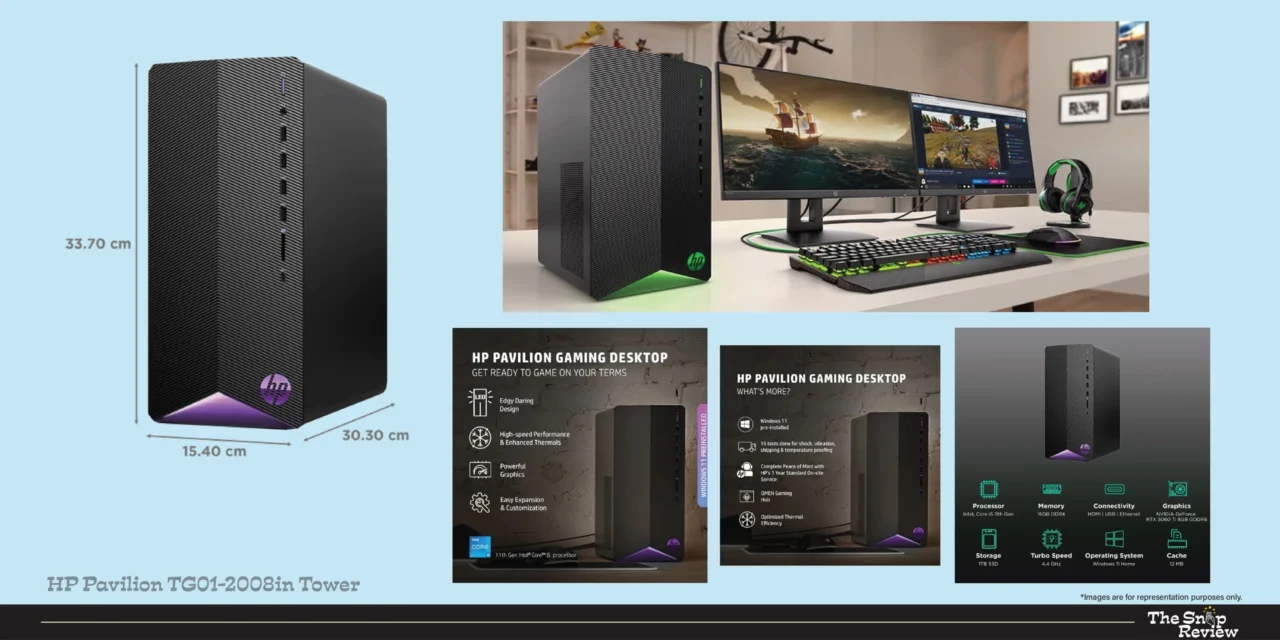
HP Pavilion TG01-2008in Tower
Where Serious Work Meets Weekend Gaming
Price: Rs. 75,994
Storage / RAM: 1TB SSD / 16GB || Display: 21.5-inch FHD IPS
Processor: Intel Core i5 || GPU: NVIDIA RTX 3060 Ti
Best for: Gaming, video editing, content creation
What We Like –
This HP Pavilion TG01-2008 isn’t trying to show off. It has one goal: to give you excellent graphics performance without the extra expense. And the RTX 3060 Ti does that job admirably.
NVIDIA’s RTX 3060 Ti is still a solid GPU in 2026. It handles 1080p gaming at high-ultra settings in most popular games with remarkable ease, handles 1440p gaming just fine, and provides enough computing power to run DaVinci Resolve, Premiere Pro, and Lightroom without constant buffering or preview drops. For those who pursue content editing as a hobby or take gaming seriously after work, this GPU is truly useful.
Its 1TB SSD is a great feature. Game libraries in 2026 are huge – Call of Duty alone can fill your entire drive. Having a terabyte of storage means you can install your game library and keep your project files safe without the hassle that often comes with 512GB of storage.
This tower form factor, while less attractive than an all-in-one, offers a practical advantage: the ease of upgrade. RAM can be increased, storage can be added, and eventually even the GPU can be replaced. You’re not buying a box – you’re buying a solid base.
What Could Be Better –
This Core i5 processor, despite its full capacity, can become a bottleneck in CPU-dependent tasks like 3D rendering, complex simulations, or streaming during gaming. If your workflow is intensively CPU-dependent, the processor can feel like the weakest link in a strong chain.
As a tower, this machine requires desk or floor space and requires more management for more cables. The HP Pavilion’s design is functional rather than aesthetic – it looks like an office computer, not a showpiece. Builders expecting RGB lighting panels will have to look elsewhere or have it custom-built to their needs.
Priced at Rs. 1,04,999, it falls into a competitive bracket where alternate options are also available. Ensure you’re comparing the total cost – you’ll still need a monitor, keyboard, and mouse.
Real Talk –
This machine is for people who work hard and have fun at the same time. It is for video editors who work for clients during the week and play open-world RPG games on the weekends. It is for content creators who are building YouTube channels alongside their day jobs. It is for students studying media or design and need creative tools. The RTX 3060 Ti gives you budget performance and with a 1TB SSD, you won’t feel the lack of storage. Croma at Rs. Available at Rs.1,04,999, this is a great machine for serious users.
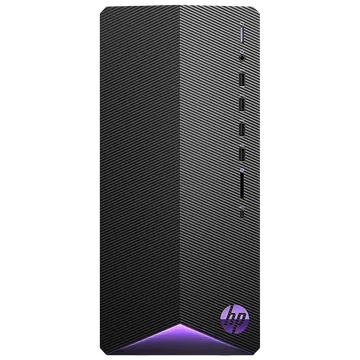
HP Pavilion TG01-2008in Tower
Price: Rs. 75,994
Storage / RAM: 1TB SSD / 16GB || Display: 21.5-inch FHD IPS
Processor: Intel Core i5 || GPU: NVIDIA RTX 3060 Ti
Best for: Gaming, video editing, content creation
Disclaimer : We are a product review website providing honest opinions based on extensive research. Prices mentioned are approximate and may vary.
How to Choose the Right Desktop for you?
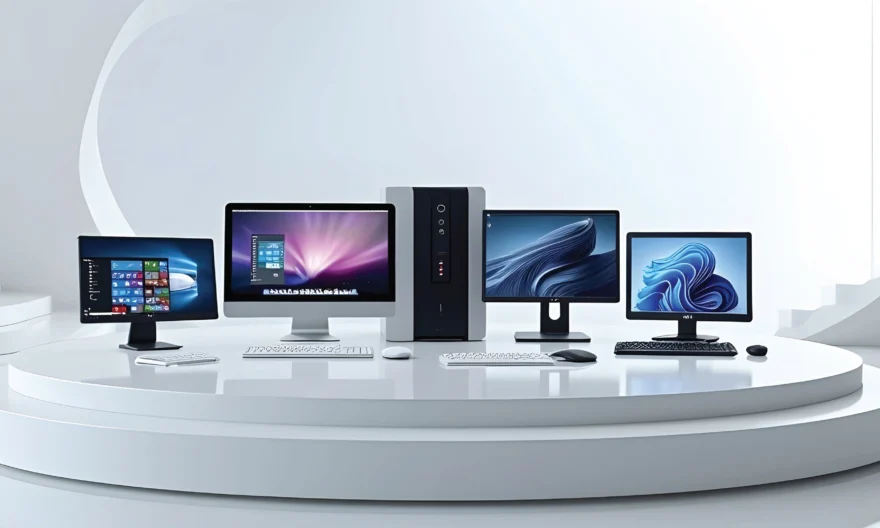
- All-in-One vs Tower: The Real Difference
All-in-One advantages: Clean desk aesthetics, single cable setup, built-in display, compact footprint. Ideal for home offices, shared spaces, and users who value tidiness.
Tower advantages: Dedicated GPU support, upgradability, better thermal headroom for sustained performance, monitor flexibility. Ideal for gamers, creative professionals, and power users.
The choice isn’t about the best option, it’s about which option best serves your actual needs and location. If it’s right for you, there’s no compromise between the two.
- Processor Generations Matter More Than You Think
The new generation of processors is not only faster, but also more efficient, consumes less power, heats up less, and has better integrated graphics. In real-world usage, there’s a significant difference between 12th and 13th Gen Intel processors. When comparing similarly priced machines, consider processor speed along with specifications.
- The RAM and Storage Sweet Spots for 2026
16GB RAM is the minimum comfortable specification. 8GB will work but will feel constrained under modern workloads.
SSD storage is non-negotiable. The performance difference versus HDD is dramatic and permanent.
512GB fills up faster than you expect. 1TB is the comfortable starting point for most users.
Consider cloud storage costs as part of your total ownership budget if opting for lower local storage.
- Where to Buy: Platform Comparison
Amazon India: Competitive pricing, frequent deals, strong delivery network, good return process. Best for price-conscious buyers and those outside major cities.
Croma: Strong physical presence, in-store demo experience, good after-sales support, reliable warranty handling. Best for buyers who prefer seeing products before purchase.
Reliance Digital: Extensive service network, competitive pricing on select models, EMI options. Strong presence in Tier 2 cities.
Vijay Sales: Excellent for Western India buyers, competitive pricing, strong service centres, good on-ground customer support.
Our recommendation: Check prices across all platforms before purchasing. Festival and seasonal sales on Amazon India often beat in-store pricing significantly.
Frequently Asked Questions:
Q: Desktop vs Laptop — Which Should I Buy?
Desktops offer better performance at a lower price, better ergonomics for long-term use, larger display options, and better upgradeability. Laptops are portable. If your work or study is done at a desk and you have a dedicated space, a desktop is almost always the better option in terms of cost and performance. If you frequently move your computer, a laptop is the better choice. Both desktops and laptops are becoming increasingly popular in many homes these days.
Q: How Long Should a Desktop Last?
Premium configurations (Core Ultra 7, RTX GPU): 6-8 years of productive life with light upgrades.
Mid-range configurations (Core i5, integrated graphics): 4-6 years for typical workloads.
Budget configurations (older processors, 8GB RAM): 3-4 years before performance starts feeling dated.
SSDs don’t wear out as quickly as HDDs, and modern processors don’t obsolete quickly enough for general use. In fact, their longevity is usually determined by RAM and storage, rather than processing power.
Q: Should I Buy an Extended Warranty?
Especially for All-in-One Systems – Yes! Its integrated components make repairs expensive and labour-intensive. The extended warranty on all-in-one systems is generally better than on tower systems, where individual components can be replaced independently at a lower cost. For tower configurations, evaluate your upgrade plans accordingly.
Q: What About Monitor, Keyboard, and Mouse for Tower Configurations?
When purchasing a tower configuration, budget an additional Rs.15,000-Rs.25,000 for a good monitor (24-27 inch FHD to QHD), keyboard, and mouse. Keep this in mind when comparing the total cost with all-in-one options. A tower priced at Rs.104,999 (including peripherals) may be more expensive overall than an all-in-one priced at Rs.95,499.
Q: Are Current-Gen Intel Processors Worth the Premium Over Older Generations?
If you’re planning on using your device for 5 years or more, then yes! Newer generation processors handle modern software more efficiently, heat up less due to better thermal management, and maintain better performance over time. When comparing machines of roughly the same price, newer processors are usually the better choice, unless the older generation machine has significantly better GPU or RAM specifications.
Disclosure: We are a product review website providing honest opinions based on extensive research and real-world user analysis. Prices mentioned are approximate may vary based on platform sales, offers, and location. We may earn a small commission if you purchase through our links, at no extra cost to you. This helps us keep our research independent and unbiased, allowing us to continue providing honest product reviews for Indian consumers.